


When I first started building my audiobook metadata and tracker system, I wanted it to feel personal. Not just another generic tool but something that looks and feels like mine.
That’s how Dark Mode and Winter Mode were born.
These two themes are more than colors. They visually reflect how I listen to books: often at night, often in colder seasons, and often in a quiet, calm mood where I want the UI to stay out of the way.
Below is a behind-the-scenes look at how I designed and implemented both themes.
❄️ Winter Mode – A Calm Seasonal Theme
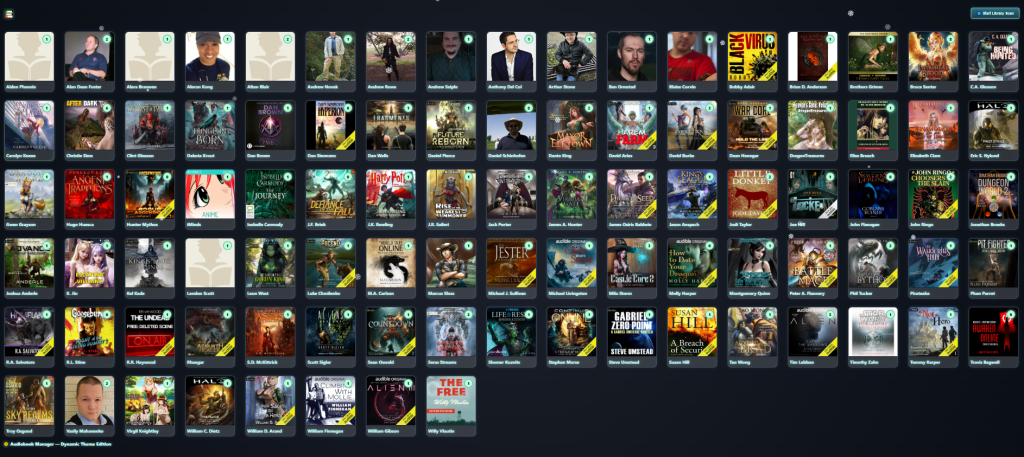
Winter Mode is a full UI transformation inspired by snow, cold nights, and quiet winter mornings.
I wanted a theme that changes the atmosphere of the entire app without hurting readability or performance.
What Winter Mode Includes
- A soft, dark-blue background inspired by winter evenings
- Subtle animated snowfall overlay
- Snowflake particles that move gently across the screen
- Frosted-glass UI elements
- Clean white text for maximum contrast
- Warm highlight colors so the UI still feels welcoming
- Soft drop-shadows to simulate cold, moonlit light

Winter Mode works on:
- The author grid
- The album view
- Track lists
- Navigation and menus
- Icons and overlays
It makes everything look colder, cleaner, and more seasonal — without being distracting.
🌙 Dark Mode – Designed for Night Listening
Dark Mode was the first theme I built — and it remains the one I personally use the most.
My goal was simple:
Create a UI that doesn’t burn your eyes at night…
…and still looks good enough to browse for hours.
What Dark Mode Includes
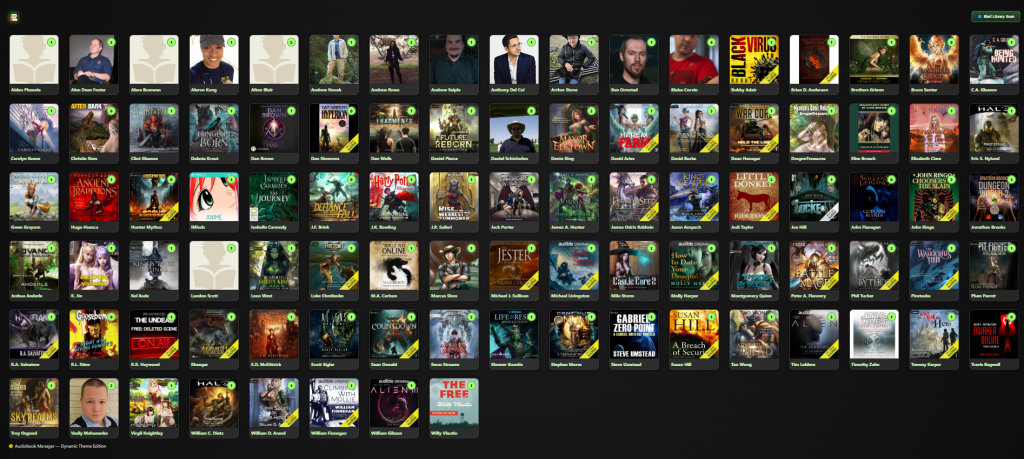
- Deep charcoal background colors
- Minimal gradients
- High-contrast cover art display
- Neon-style green progress indicators
- Smooth transitions between cards
- Muted accent colors to keep the focus on the audiobooks
- Consistent brightness across pages
- Soft hover and selection effects
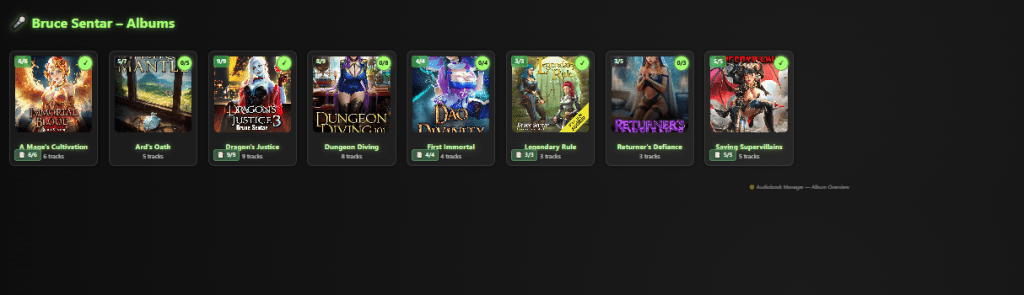
Dark Mode is lightweight and fast.
It uses pure CSS variables, which means:
- Instant switching
- No page reload needed
- No client-side JavaScript hacks
- Themes work across the entire interface automatically
🎨 How I Designed Both Themes
Both themes were built using the same core system:
1. Global CSS Variables
I created a theme system controlled by a single <html data-theme="dark"> or <html data-theme="winter">.
Each variable controls things like:
- background colors
- text colors
- card borders
- highlights
- snow effect visibility
- icon tinting
Winter Mode simply reuses Dark Mode as a base, then overrides the frost/snow variables.
2. Dynamic Theming Without Reload
I made theme-switching instant:
- no page reload
- no JavaScript re-render
- the interface simply swaps CSS variable sets
This keeps everything smooth and consistent.
3. Theme-Aware Components
Every card, every button, every shadow, every icon uses the variable system.
So when the theme changes, the whole look updates automatically.
4. Seasonal Effects
Winter Mode adds:
- a snow overlay canvas
- light blur filters for a frosted look
- occasional sparkle effects near album covers
The snow uses a very lightweight animation loop so it doesn’t affect performance.
📸 Why Themes Matter (And Why I Built Them)
I built this app because nothing else gave me the control I wanted.
With over 400 audiobooks, I needed something:
- fast
- flexible
- visually clear
- easy to use
- and personal
Themes help create a visual mood that matches how I use the system.
Dark Mode is for daily use.
Winter Mode is for atmosphere, calmness, and the feeling of being inside my own world.
When I scroll through my library and see the snow drifting down over the covers, it feels like a peaceful evening exactly the kind of mood I want when choosing the next audiobook.
🌟 More Themes Coming
I plan to add more styles in the future, like:
- Autumn Mode with falling leaves
- Forest Mode with green overlays
- Sci-Fi Mode with neon blue HUD elements
- Classic Mode inspired by old bookshelves
The theme engine was built to make creating new looks easy.
If you want to follow the development of my Audiobook Manager — or if you’re interested in metadata systems, audiobook tracking, or extreme UI customization — stay tuned.
This project is growing fast, and themes are just one part of it.



 Kiba Snowpaw
Leave a comment