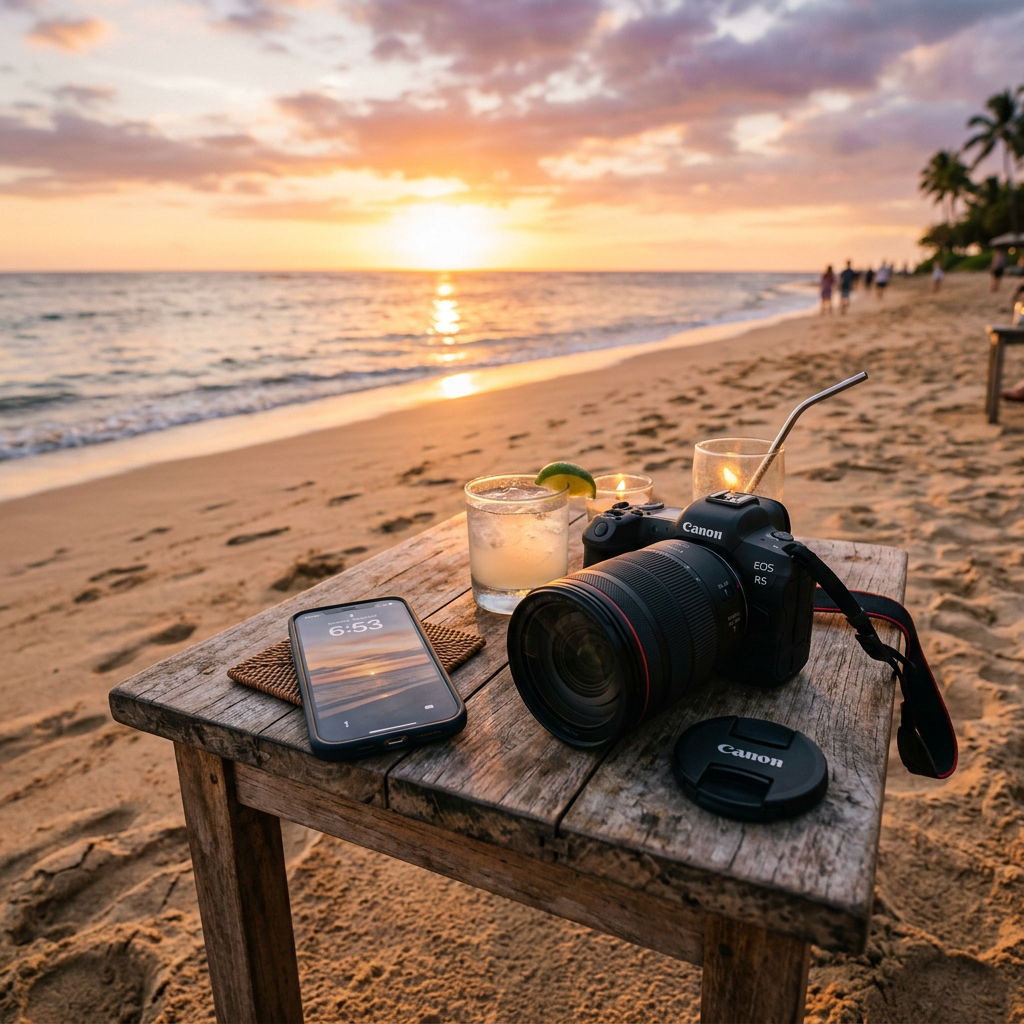



A mobile phone will never fully replace a real camera for me. I use a Nikon DSLR for a reason. A bigger sensor, proper glass, manual control, real optical reach, and better handling still matter, especially for wildlife, animals, birds, and anything where distance, fast movement, or fine detail becomes important.
But that does not mean a phone is useless.
A mobile phone camera is not just a quick snapshot tool anymore. Used properly, it can take genuinely good photos. Not because the phone magically does everything, but because photography is still mostly about the person behind the camera. Light, angle, timing, composition, distance, and knowing what you want the image to say matter far more than people think.
A phone can take boring photos very easily. But so can an expensive camera. Gear helps, but it does not save a bad eye. A bad photo does not become good because it was taken with better equipment. A good photo does not become worthless because it was taken with a phone.
That is the balance I try to keep. I respect proper cameras, and I still prefer my Nikon D7500 for serious animal and nature photography. But I also understand why a phone has its place. Sometimes it is the only camera I have with me. Sometimes it fits the situation better. Sometimes it lets me take photos in places where a big camera would feel awkward, impractical, or too much.
For me, mobile photography is not about pretending a phone is better than a real camera. It is about understanding what the phone is good at, where it struggles, and how to use it in a way that actually makes sense.

The Best Camera Is Sometimes the One You Actually Have
One of the biggest strengths of mobile photography is simple: the phone is already with you.
That sounds obvious, but it matters. A photo does not wait until you have packed a camera bag, chosen the right lens, charged batteries, found an SD card, and made yourself ready. Light changes. Birds move. Reflections disappear. Clouds shift. Rain dries from the pavement. A scene that looked interesting for two minutes can become completely normal again before you even get the chance to think about it.
That is where a mobile phone becomes useful. It may not be the best camera in a technical sense, but it is often the camera that actually gets used.
When I go out specifically to take photos of animals, nature, zoos, or places I care about, I still prefer my Nikon D7500. A proper camera with real glass gives me better reach, more control, and better results when the subject is far away or moving. For wildlife especially, a phone quickly hits its limits. Digital zoom, small sensors, and heavy software processing cannot replace a real lens.
But everyday life is different.
Sometimes I am just walking home from work through Frederikssund. Sometimes I pass the beach, Klinten Strand, water, birds, clouds, trees, wet pavement, or some random scene where the light suddenly works. I may not have planned a photo trip. I may not have the Nikon with me. But I still have my phone, and that means I still have a chance to get the shot.
That is the practical strength of mobile photography. It catches the moments that would otherwise be missed.
There is also a more mental side to it.
I can be a little reserved when taking photos in cities or places with many people. Not because I think photography is wrong, but because walking around with a bigger camera can feel awkward. A DSLR is visible. It makes the act of taking photos look more serious and intentional. People notice it more. Even if nobody actually cares, it can still feel like they do.
That can make you hesitate.
You see something worth photographing, but then your head starts getting in the way. You start thinking about whether you look stupid, whether people think you are photographing them, whether you are standing in the way, or whether the whole thing looks strange from the outside. By the time you are done fighting those thoughts, the moment may already be gone.
A phone reduces that pressure.
Using a phone in public looks normal. People take phone photos everywhere: streets, beaches, cafes, shops, museums, aquariums, train stations, tourist areas, and city centers. It does not stand out the same way a DSLR with a larger lens does. It feels more casual, less intrusive, and less like you are announcing yourself as the photographer in the middle of everything.
That makes it easier to take the photo without overthinking it.
This matters because a camera does not only affect image quality. It also affects how you behave. A big camera can make you more self-aware. A phone lets you blend in. For someone who is more reserved, that can be the difference between taking the shot and walking away from it.
Indoor places are a good example.
When I was at Den Blå Planet, a phone made a lot of sense. Aquariums are difficult to photograph. The light is low, the animals move, the glass reflects everything, and there often is not much room. You have people around you, children near the tanks, narrow viewing areas, and very little space to step back or compose properly with a larger setup.
A DSLR can technically do very well in low light if you know exactly what you are doing and have the right lens. But that does not automatically make it the easiest tool to use in that environment. If you are standing close to glass, surrounded by people, and constantly adjusting position, a big camera can become more of a burden than a help.
A phone is smaller, quicker, and easier to place close to the glass to reduce reflections. It is also easier to use in tight spaces without feeling like you are blocking everyone else. In places like aquariums, museums, small indoor attractions, markets, cafes, shops, or crowded tourist spots, that can matter more than pure technical quality.
Low light is another place where a phone can be easier, even if it is not always better.
With my Nikon D7500, low-light photography still feels like something I fight with. That is not because the camera is bad. The D7500 is a capable camera, and with the right settings, lens, and experience, it can produce better low-light photos than a phone. But it expects me to make the decisions. I have to think about shutter speed, ISO, aperture, focus, motion blur, noise, and how steady I can hold the camera.
With an iPhone, a lot of that work happens automatically. The phone adjusts exposure, balances highlights and shadows, changes ISO and shutter speed, stabilizes the shot when it can, and uses software processing to clean up the image. In darker scenes, it may combine several frames into one photo. That is computational photography, and it is one of the reasons modern phones can produce usable images in conditions where older small cameras would have struggled badly.
That makes the phone feel easier in low light.
It is not magic. If the subject moves too much, it can still blur. Fine details can look over-smoothed. Fur, feathers, grass, water, and glass can sometimes look strange because of the processing. But for indoor places, city lights, aquariums, evening walks, buildings, and quick everyday scenes, the result is often good enough without turning the photo into a technical project.
That is important for my own workflow.
Low-light photography is under one percent of what I normally do. Most of my serious photography is animals, nature, zoos, outdoor scenes, and places where I already know how I want to use the camera. Because low light is such a small part of what I do, I have not put much time into mastering it on the D7500. I could learn it better if I wanted to. But for something I rarely do, it is not always worth turning it into a whole study project.
In that situation, the phone helps because it removes friction. It lets me focus more on the scene and less on the settings. In a place like Den Blå Planet, where the light is poor, the glass reflects, the animals move, and people are standing close around you, I do not always want to stand there adjusting manual settings while the moment disappears. Sometimes I just want a usable photo without fighting the camera.
That does not mean the phone replaces the DSLR. It means the phone has a different role.
A DSLR gives control. A phone gives access.
The DSLR is better when I need reach, clean detail, fast autofocus, proper handling, or full manual control. The phone is better when the moment is unexpected, the space is tight, the light is difficult but I do not want to fight settings, or when using a big camera would feel unnatural.
That is why mobile photography should not be looked down on. A phone photo still needs thought. You still need to care about light, angle, background, subject, and timing. A bad composition does not become good just because the phone has smart processing. But if the phone lets you take a photo you would otherwise miss, avoid, or overthink, then it has value.
For me, mobile photography is not about pretending a phone is better than a proper camera. It is about using the tool that fits the situation.
Sometimes the proper camera is the right choice. Sometimes the phone is. And sometimes the best camera is simply the one that lets you take the photo before the moment is gone.

A Phone Photo Still Needs Thought
A phone photo still needs thought. The phone may do a lot of technical work for you, but it does not decide what makes the photo worth looking at.
That is one of the biggest mistakes people make with mobile photography. They point the phone straight ahead, take the photo from normal eye level, and then wonder why the result looks flat or boring. But that is not really the phone’s fault. That is just the most basic possible way to take a picture.
Most everyday phone photos are taken from the same height, at the same distance, with the subject placed in the middle, and with no real thought about what is happening around it. That is why so many phone photos look like documentation instead of photography. They show what was there, but they do not guide the eye.
There is nothing wrong with a documentary shot if that is the goal. Sometimes you just want to show what something looked like. But if the point is to make the photo feel stronger, then the phone still needs a photographer behind it.
With a real camera, especially with a longer lens, you can control more of the look. You can compress the background, separate the subject more naturally, blur the background with a wide aperture, and use optical zoom instead of moving physically closer. A phone does not give you the same kind of control, at least not in the same natural way.
That means angle, distance, and composition become even more important.
With a phone, you often have to move yourself instead of relying on the lens. Step closer. Step back. Move to the side. Get lower. Hold the phone near the ground. Shoot slightly upward. Use a wall, fence, tree, railing, shoreline, path, reflection, or shadow to make the image feel more deliberate.
A small change in position can completely change the photo.
If you photograph a beach standing straight up with the horizon in the middle, it may just look like a normal beach snapshot. But if you lower the phone near the sand, use stones, grass, water, or footprints in the foreground, and let the shoreline lead the eye into the frame, the same place can look much more interesting.
If you photograph a bird from too far away, it may just become a small dot in the image. But if you wait until it turns its head, lands somewhere clean, or lines up with a better background, the photo becomes more intentional. Even if the phone cannot match a proper wildlife lens, timing and framing still matter.
If you are taking photos in a city, the same rule applies. A building photographed straight on can look flat. But if you use reflections in windows, leading lines from the street, shadows from other buildings, or people moving through the frame, the image gets more life. The phone is small enough that you can experiment quickly without making a big scene out of it.
That is one of the real advantages of using a phone.
A phone is easy to move. You can put it in places where a bigger camera would be annoying or awkward. You can hold it close to the ground, close to glass, near water, beside grass, between branches, or inside tight spaces. You can try angles that would feel clumsy with a DSLR and a larger lens.
The important part is not just taking the photo because the phone can. The important part is deciding what the photo is about.
Before pressing the button, it helps to ask one simple question: what do I want people to look at?
Is it the animal? The light? The reflection? The shape of the clouds? The color of the water? The path leading into the distance? The mood of the place? The contrast between something natural and something man-made?
Once you know that, the photo becomes easier to build.
If the subject is the animal, avoid a messy background if you can. Wait for the animal to turn its head, move into better light, or separate from the surroundings. If the subject is the light, expose for the part of the scene that matters. If the subject is the reflection, frame it so the reflection is clearly part of the image and not just accidental. If the subject is the atmosphere, then empty space, shadows, and color may matter more than sharp detail.
A phone camera can make a technically clean photo, but it cannot know what you felt when you saw the scene. That part has to come from you.
This is also why cropping and framing matter. A lot of phone photos include too much. Too much sky, too much pavement, too many random people, too much empty space, too many distracting things at the edges. The phone’s wide lens makes it easy to capture everything, but capturing everything is not always good.
Sometimes the better photo is made by removing things. Move closer. Change the angle. Wait for someone to leave the frame. Use the background carefully. Keep the subject clear. If something at the edge of the image pulls attention away for no reason, either reframe the shot or crop it later.
The viewer should not have to search for the point of the photo.
That is the difference between a quick snapshot and a photo with thought behind it. A snapshot says, “this was in front of me.” A stronger photo says, “this is what I noticed.”
Mobile photography gets much better when you stop treating the phone like a passive recording device. It is not just there to document what your eyes saw. It is a tool for choosing what part of the scene matters.
That does not mean every phone photo has to be artistic or deeply planned. Sometimes a quick photo is enough. But when you want the result to look better, the phone needs the same basic respect as any other camera.
- Look at the light.
- Look at the background.
- Look at the edges of the frame.
- Think about the angle.
- Wait a few seconds if the scene is not ready.
- Move your body instead of just zooming.
The phone can handle a lot of the technical side, but composition is still your job.
A mobile phone makes photography easier to access, but it does not remove the need to see. That is the real skill. Not just owning a good camera, not just having a newer phone, and not just pressing the button, but noticing what makes a scene worth photographing and making choices around that.
If you want a phone photo to look better, you have to decide what the viewer is supposed to notice. Once you do that, the phone stops being just a phone and becomes a real camera in your hand.
Light Matters More Than the Phone Model
People often ask what phone or camera was used, but the more important question is usually: what was the light like?
That is where a lot of photo quality really comes from. A better phone can help, but it cannot fully escape bad light. A cheaper or older phone can still take a strong photo if the light is good, the angle works, and the scene has something worth capturing.
This is especially true with mobile phones because they are built around small sensors and heavy software processing. A phone does not collect light the same way a dedicated camera does, so when the light gets difficult, the phone has to work harder. It brightens shadows, reduces noise, sharpens edges, balances highlights, and sometimes combines multiple frames into one final image.
That is why phone photos can look surprisingly good in poor light, but also why they sometimes look artificial when you look closer.
For me, the iPhone 13 Pro does a good job here. It only has 12 MP cameras, and I do think the general photo quality has limits. Compared to a proper camera file, there is less detail to crop with, textures can break down faster, and fine detail can sometimes look too processed. Grass, leaves, fur, feathers, water, and glass can get that phone-camera look where the image seems clean at normal size but less natural when you zoom in.
But in low light, the iPhone often gives me better results than I personally get from my Nikon D7500.
That is not because the iPhone is the better camera overall. It is because the iPhone handles the difficult part automatically. It adjusts exposure, shutter speed, ISO, stabilization, noise reduction, and processing without me needing to think about every setting. The D7500 gives me more control, but in low light that also means I have to make more decisions myself.
Low-light photography is not a big part of my normal workflow. Most of what I shoot is outdoors: animals, nature, zoos, beaches, birds, forests, and daylight scenes. Because low light is such a small part of what I normally do, I have not spent much time mastering it on the D7500. So when I do end up indoors, in evening light, or somewhere dark, I often feel like I am fighting the camera instead of working with the scene.
With the iPhone, I can usually get a usable photo faster.
That is the practical difference. The D7500 has more potential, but the iPhone gives me a result with less effort in a type of photography I do not practice much. A skilled low-light photographer with the right lens and settings could get more out of the D7500 than the iPhone. But for how I actually shoot, the phone often gives me the better low-light result.
Still, the light itself decides how far the phone can go.
Good light gives the phone real detail to work with. Bad light forces it to guess, smooth, sharpen, and rebuild parts of the image with software. That is why two photos from the same phone can look completely different. One may look clean and natural, while another looks smeared or overprocessed. The phone did not suddenly change. The light did.
Soft light is often easier to work with. Cloudy days can be useful because the clouds spread the light more evenly. Shadows are less harsh, highlights are easier to control, and colors can look calmer. For nature, animals, buildings, food, and everyday scenes, that kind of light can make a phone photo look much better without needing much editing.
Harsh sunlight can be harder. It creates strong shadows, bright highlights, shiny reflections, and high contrast. A phone may expose for the bright sky and make the subject too dark, or expose for the subject and blow out the sky. That does not mean harsh light is bad, but it needs more attention. Strong sun can work if you use shadows, reflections, silhouettes, or side light deliberately.
Evening light can give a phone photo more mood. The sun is lower, shadows get longer, and ordinary places can look less flat. Wet pavement, water, windows, snow, fog, and mist can also help because they add atmosphere and reflection. In those situations, the phone has something interesting to build on instead of trying to make a boring scene look good through processing alone.
Indoor light is one of the more difficult cases. It is often weak, uneven, and mixed from different sources. You may have daylight from windows, warm lamps, cold LED lights, reflections from glass, and dark corners all in the same scene. The phone tries to balance it, but it can still get strange colors or unnatural textures.
That is why places like Den Blå Planet are difficult. Aquariums have low light, moving animals, reflective glass, and artificial tank lighting. The phone can help because it handles a lot automatically, but the better shots still come from finding better light: a brighter tank, cleaner glass, fewer reflections, slower-moving animals, or an angle where the light is not fighting against you.
So the phone model matters, but the light matters more.
A newer phone can give better processing, better stabilization, and better dynamic range. That is useful. But the phone still needs something good to capture. Good light makes the image stronger before the software touches it. Bad light makes the phone work harder, and the more it has to work, the more visible the processing can become.
That is why I do not judge a mobile photo only by what phone took it. I look at the light first.
- Was the light soft or harsh?
- Was the subject properly lit?
- Was the background brighter than the subject?
- Did the phone have enough light to keep detail?
- Did reflections, fog, water, snow, or shadows add something to the image?
- Did the scene already have mood, or did the phone have to fake it?
For me, that is the real point.
The iPhone 13 Pro can do better in low light than I expected, and often better than I personally manage with the D7500 in those situations. But the best phone photos still happen when the light is already working with you. The phone can help, but light is what gives the image its foundation.
Composition Beats Megapixels
A lot of phone marketing focuses on megapixels, zoom numbers, AI, night modes, and processing. Some of that is useful, but none of it automatically creates a good image.
A boring photo with more megapixels is still boring.
That is one of the biggest traps with mobile photography. People often look at the camera specs first, as if the number alone decides whether the photo is good. But megapixels only describe how much resolution the image can have. They do not decide where the subject is placed, whether the background works, whether the photo feels balanced, or whether the viewer understands what they are supposed to look at.
That part is composition.
Composition is what makes a photo feel intentional. It is the difference between “I pointed my phone at something” and “I saw something and built the image around it.”
The subject matters, but everything around the subject matters too. A bird, building, tree, beach, animal, path, or person can all be interesting, but if the frame is full of distractions, the photo becomes weaker. A messy background, a tilted horizon, random objects at the edges, too much empty space, or a subject placed badly can make even a technically sharp photo feel careless.
The viewer should not have to search for the point of the image.
With mobile photography, this becomes even more important because phones often capture a wide view. The main lens on many phones is fairly wide, and the ultra-wide lens makes that even stronger. That can be useful, but it also makes it very easy to include too much. You may think you are photographing the subject, but the phone is also pulling in half the street, too much sky, random signs, people, trash cans, bright objects, cars, or anything else near the edge of the frame.
That is where many phone photos fall apart.
The problem is not always image quality. Sometimes the phone captured too much information with no clear order. Everything is in the photo, but nothing controls the photo.
A strong composition removes confusion. It tells the viewer what matters.
Before taking the photo, I think it helps to look at the frame and ask what the actual subject is. Is it the animal? The water? The reflection? The path? The clouds? The mood? The shape of something? The contrast between foreground and background?
If the answer is not clear to you, it probably will not be clear to the viewer either.
That is why a simple scene can become stronger than a complicated one. A photo does not need a lot of things in it to work. Sometimes one clear subject, placed well, is better than a scene packed with details. A quiet beach, one bird, a tree line, a reflection, a road disappearing into the distance, or a single building can work if the image is built around it.
A complicated scene can also work, but only if the elements support each other. If everything fights for attention, the photo becomes noise.
This is where people sometimes confuse “interesting place” with “good photo.” A place can be interesting in real life but still difficult to photograph. When you are standing there, your brain filters the scene. You know what caught your attention. But the camera does not filter anything. It records everything inside the frame. If you do not simplify the image, the viewer may not see what you saw.
That is why composition is not just about making things look pretty. It is about control.
One of the most useful things in mobile photography is learning what not to include. The phone makes it easy to capture the whole scene, but the whole scene is not always the best photo. Sometimes the better image comes from stepping closer. Sometimes it comes from turning slightly. Sometimes it comes from waiting until something leaves the frame. Sometimes it comes from cropping later.
Cropping is not cheating. It is part of deciding what the photo is about. But with a phone, especially something like the iPhone 13 Pro with 12 MP files, there is a limit. You can crop a little, but if you crop too much, the quality drops fast. Fine detail disappears, sharpening becomes more visible, and the photo starts to fall apart.
That means it is better to compose as well as possible before taking the photo.
Do not rely on cropping to fix everything later. Use it to tighten the image, not to rescue a photo that had no clear composition in the first place.
The edges of the frame matter a lot. People often look only at the subject and forget the corners. That is how random distractions sneak in. A bright object, half a person, a sign, a bin, a car, a branch, or some strange shape at the edge can pull attention away from the subject. Before pressing the button, it helps to quickly scan the whole frame, not just the middle.
The background matters just as much.
A subject can be good, but if the background is messy, the photo loses strength. This is especially true with phones because they do not always give natural background separation. Portrait mode can fake blur, but it does not always work well with animals, fur, branches, glass, water, or complicated edges. So instead of relying on fake blur, it is often better to find a cleaner background in the first place.
Move slightly left or right. Lower the phone. Raise it. Change what sits behind the subject. Even a small movement can separate the subject from clutter.
Depth is another thing that helps phone photos. Because phones often make scenes look flat, it helps to include layers. Something in the foreground, something in the middle, and something in the background can make the image feel less like a flat wall. Rocks, grass, branches, railings, paths, waterlines, fences, shadows, or reflections can all create depth if they are used carefully.
Leading lines can also make a simple photo stronger. A path, road, shoreline, bridge, railing, row of trees, shadow, or building edge can guide the viewer’s eye through the image. That gives the photo structure. Instead of the viewer randomly looking around, the image naturally pulls them toward the subject or into the scene.
Balance matters too. The subject does not always need to be in the center. Sometimes centered works, especially with symmetry, reflections, portraits, or a strong simple subject. But if everything is always placed dead center, photos can start to feel static. Placing the subject slightly off-center can make the image feel more natural and give the scene room to breathe.
Empty space is not automatically bad. It can be useful if it supports the mood. A lot of sky, water, snow, or open space can make a photo feel quiet, lonely, calm, or dramatic. But empty space should feel intentional. If half the photo is empty because you did not get close enough, it weakens the subject. If the empty space adds feeling or direction, it can make the photo stronger.
Composition is not a fixed rulebook. It is not about blindly following rules like rule of thirds every time. Rules can help, but they are only tools. The real question is whether the photo works. Does the image feel balanced? Is the subject clear? Does the background support it? Does the frame feel intentional?
A phone with more megapixels will not answer those questions for you.
That is why composition beats megapixels. More resolution can make a good photo more detailed, but it cannot make a weak photo meaningful. Sharpness is useful, but sharpness alone is not enough. A sharp photo of nothing interesting is still nothing interesting.
For mobile photography, the best improvement often comes from slowing down for a few seconds.
- Check the subject.
- Check the background.
- Check the edges.
- Check the horizon.
- Check whether anything is distracting.
- Decide what should stay in the frame and what should not.
That small pause can make a bigger difference than buying a newer phone.
A good mobile photo is not good because the phone captured everything. It is good because the photographer chose what mattered. The subject should not have to beg for attention. The composition should make it clear.
Phones Are Good at Wide Scenes, Not Magic at Distance
Mobile phones are strongest when the subject is close enough and the scene fits the kind of lens the phone is built around.
That is why phones often do well with landscapes, beaches, streets, buildings, paths, forests, food, travel photos, indoor scenes, and everyday moments. Those subjects usually do not require extreme reach. You can move around, get closer, change angle, use the foreground, and let the phone’s wide view work in your favor.
Where phones start to fall apart is distance.
A phone can say it has zoom, but not all zoom is the same. Optical zoom uses the lens to bring the subject closer. Digital zoom mostly crops into the image and uses software to clean it up. That can look fine at small sizes, but it is not the same as real reach.
This matters a lot with animals and birds.
If a bird is far away, the phone does not magically get closer to it. It crops into a small part of the image, sharpens it, smooths noise, and tries to make the result look acceptable. From a distance, that can seem fine on the phone screen. But when you look closer, the detail often breaks down. Feathers can turn into smudges. Edges can look harsh. The subject can start looking painted instead of photographed.
That is not the phone being useless. That is just the limit of what it is.
Some phones have telephoto lenses, and that helps. The iPhone 13 Pro, for example, is more useful than a basic phone because it gives more than one real focal length. But even with a telephoto lens, it is still not the same as using a proper camera with a real wildlife lens. A small phone lens cannot replace a 200mm, 500mm, or longer camera setup when the subject is far away.
This is why I would not use a phone as my main wildlife camera.
For serious animal photography, especially birds, distant wildlife, zoo animals behind large enclosures, or anything that moves quickly, I still want the Nikon. A proper camera gives better reach, better handling, better focus control, and better detail when the subject is not close. With a real telephoto lens, you are not just cropping the subject out of a wide scene. You are actually filling the frame with it.
That makes a huge difference.
Phones are also limited by how they process detail. When the subject is far away, the phone has very little real information to work with. It has to guess more. That is where AI sharpening and computational processing can become visible. The photo may look clean at first, but the details are not really there. The software is trying to make missing detail look like detail.
That can be okay for a quick memory photo. It is not good enough if you care about animal detail.
This is especially clear with fur, feathers, branches, grass, and water. Those textures are already difficult for small sensors and phone processing. Add distance and digital zoom, and the image can become messy fast. The phone may sharpen the outline of the animal, but the fine texture inside the subject is often gone.
That is one of the big differences between a phone photo and a real camera photo. A phone often gives you a result that looks good quickly. A camera gives you more real detail to work with, if you use it properly.
But that does not mean phones are bad for animals in every situation.
If the animal is close enough, a phone can work. A large animal nearby, a bird that lets you get close, a dog, a cat, animals behind glass, zoo animals near the front of an enclosure, or insects and details you can physically move close to can all be possible with a phone. The key is distance. The closer you are, the less the phone has to fake.
Good light also helps. If the subject is close and well lit, the phone has much more real detail to capture. If the subject is far away and in poor light, the phone is fighting two battles at once: not enough reach and not enough light.
That is usually where the result falls apart.
For wide scenes, the phone’s wide lens can be a strength. A beach, forest path, city street, building, aquarium tank, food plate, or travel scene can look good because the phone captures the environment. The point is not tiny detail at a distance. The point is shape, mood, light, color, and composition.
For distant subjects, the same wide view becomes a weakness. The subject becomes too small, and the phone has to crop hard to make it important.
That is why it helps to think about what kind of photo you are trying to take.
- If the photo is about the place, a phone can be very good.
- If the photo is about a small subject far away, a phone is usually the wrong tool.
- If the subject is close, the phone has a much better chance.
This is not about hating phone cameras. It is about using them where they make sense.
A phone is good at showing where you were. It is good at capturing scenes, atmosphere, light, buildings, paths, beaches, reflections, and everyday details. It is good when you can move closer and build the photo around the subject.
It is not magic at distance.
That is the honest limit. The phone can help you get a photo, but it cannot replace real optical reach. For casual shots, that may not matter. For serious wildlife and animal photography, it matters a lot.
So the important thing is not expecting the phone to do everything. Use it for what it is good at. Let it handle wide scenes, close subjects, travel moments, indoor places, and everyday photos. But when distance, wildlife, and fine detail matter, that is where a proper camera still earns its place.
Post-Editing Is Not Cheating
Some people act like editing a photo is fake. I do not agree with that, at least not automatically.
There is a difference between editing a photo to bring out what was already there and completely fabricating the image. Adjusting exposure, contrast, shadows, highlights, color, crop, sharpness, or noise reduction is normal. Cameras and phones already process images anyway. A phone photo is not some untouched truth straight from reality. The software is already making choices the second you press the button.
That is especially true with mobile photography. A phone image is already heavily interpreted by the device. The phone decides how bright the shadows should be, how much the sky should be protected, how sharp edges should look, how much noise should be removed, and how the colors should be balanced. Even before you edit the photo yourself, the phone has already made technical and artistic decisions.
So when someone says a phone photo is only real if it is unedited, I think that misses the point. The photo was already edited by the phone’s processing pipeline. Doing your own edit afterward can simply mean taking some of that control back.
Post-editing can make a mobile photo look much better, especially if the original image has good composition and decent light. It can bring back detail in the sky, make the subject stand out, fix a flat-looking image, correct a strange color cast, or give the photo the mood you actually saw when you took it.
For example, a beach photo taken with a phone may look dull straight out of the camera if the phone tried to protect the highlights and made the whole scene too flat. A small adjustment to contrast, shadows, highlights, and color can make the water, sky, and sand look closer to how the scene felt in real life.
The same can happen with city photos. Wet pavement, reflections, buildings, and evening light can look better after editing because the phone may not always understand what part of the mood mattered. The phone is trying to make a balanced image. The photographer may want a darker, colder, warmer, calmer, or more dramatic image.
That said, editing cannot save everything.
If the photo is blurry, badly framed, too far away, or taken in terrible light, editing can only do so much. You can sharpen a soft photo, but you cannot create real detail that was never captured. You can brighten a dark image, but if the shadows are full of noise and smearing, the result will still have limits. You can crop a photo, but if the subject is too small, the file may fall apart.
The base photo still matters.
Good editing should support the photo, not replace it. I do not have a problem with making a photo look better, but I still want it to feel like a photo I actually took. If the edit becomes more important than the moment, then the image starts becoming something else.
For me, normal editing includes things like:
- Adjusting exposure if the photo is too bright or too dark.
- Recovering highlights in the sky or water.
- Lifting shadows if the subject is too dark.
- Adding contrast if the image looks flat.
- Correcting color if the phone made the scene too warm or too cold.
- Cropping to strengthen the composition.
- Adding a small amount of sharpness if the image needs it.
- Reducing noise if the phone struggled in low light.
Where editing becomes more questionable is when the photo no longer represents what was actually there. Replacing skies, adding fake animals, removing major parts of the scene, or changing the photo so much that it becomes a different image is not the same as normal post-processing. That can still be art, but I would not present it as a normal photo.
There is also the danger of over-editing. A phone photo can already be heavily sharpened and processed, so pushing it too hard afterward can make it worse. Too much clarity can make water and clouds look crunchy. Too much saturation can make colors look fake. Too much sharpening can create halos around edges. Too much noise reduction can turn texture into plastic.
That is why editing a phone photo often needs a careful hand. The goal should be to bring out the photo, not beat it into submission.
For me, the best edit is one where the image looks stronger, but still believable. It should feel like the same scene, just handled better.
The Phone Does a Lot Behind the Scenes
Modern phones use a lot of computational photography. They combine exposures, brighten shadows, reduce noise, sharpen details, detect faces, create fake background blur in portrait mode, and balance scenes automatically.
That is both good and bad.
It is good because it helps people get usable photos without needing to understand ISO, shutter speed, aperture, dynamic range, white balance, stabilization, and RAW editing. A phone can handle difficult scenes much better than old compact cameras often could. It can make a dark room look brighter, a bright sky less blown out, and a handheld night photo look possible.
That is one reason I respect what phones can do. Even if I complain about the quality limits, I cannot deny that the automation is useful. In some situations, the phone gives me a usable image faster than I would get manually with a proper camera.
But the same processing can also make photos look too processed.
Sometimes skies look unnatural. Sometimes sharpening creates weird edges. Sometimes grass, leaves, fur, feathers, or water become messy. Sometimes portrait mode cuts badly around hair, ears, branches, animal fur, or glass. Sometimes the phone lifts shadows too much and removes the mood. Sometimes it makes everything look clean, bright, and balanced when the scene was actually darker or more atmospheric.
The phone is smart, but it is not actually thinking like a photographer. It is calculating. It looks at the scene and tries to produce a result that most people will find acceptable. That does not always mean it matches what I wanted.
This is why you still need to look at the result and not blindly trust the device.
A phone may decide that a dark scene should be brighter. But maybe the darkness was part of the photo. It may decide that a face or subject needs more light. But maybe the silhouette was what made the image interesting. It may sharpen details to make the photo look crisp on a small screen. But when viewed larger, that sharpening can look rough.
There is also a difference between a photo that looks good on a phone screen and a photo that holds up as a file. Many mobile photos look impressive at normal viewing size, especially on social media. But when you zoom in, crop heavily, or view them on a larger monitor, the limits become more visible.
That is one of my main issues with the iPhone 13 Pro. It can produce good-looking photos, especially in difficult light, but the files can still feel limited. With 12 MP, there is only so much real detail to work with. For normal posts, that may be fine. For serious photography, heavy cropping, or detailed animal work, it is not the same as a proper camera file.
Still, the processing has its place. It is not always bad. It just needs to be understood.
The phone is doing a lot of hidden work. Sometimes that hidden work saves the photo. Sometimes it damages the texture. Sometimes it creates a result that looks better than the scene did. Sometimes it makes the image look less natural than it should.
That is why mobile photography is partly about learning how your phone behaves. You start to notice when it handles things well and when it starts to fall apart. You learn which situations produce clean results, which ones look fake, and when it is better to avoid pushing the phone too far.
Knowing the limits of the processing is just as important as knowing the limits of the lens.
Mobile Photography Is About Working With the Limitations
Every camera has limits. A phone just has different ones.
A DSLR gives more control, better ergonomics, proper lenses, better handling, stronger optical reach, and more natural detail when the photo is done right. A phone gives speed, portability, automatic processing, social comfort, and the ability to take photos almost anywhere without carrying a full setup.
Instead of pretending a phone is a professional wildlife camera, it makes more sense to use it where it actually works. Use it for scenes where you can get close. Use it for atmosphere. Use it for angles. Use it when the light is good. Use it when carrying a full camera setup would mean you take no photo at all.
A phone can be especially strong for:
- Nature walks where the goal is the feeling of the place rather than distant wildlife detail.
- Beach and water scenes where reflections, sky, and foreground can carry the photo.
- Clouds, sunsets, fog, snow, and weather mood.
- Street photos where a larger camera would feel too visible.
- Food photos, especially when you can control the angle and distance.
- Travel memories where convenience matters.
- Close-up details such as textures, signs, plants, stones, water, or objects.
- Reflections in puddles, glass, wet pavement, windows, or water.
- Indoor spaces where a large camera would be awkward.
- Quick creative compositions where the moment matters more than perfect technical quality.
It is weaker for:
- Small birds far away.
- Fast wildlife at distance.
- Low-light action where the subject moves.
- Heavy zoom.
- Natural background compression.
- Clean fine detail in fur, feathers, grass, and leaves.
- Photos that need heavy cropping afterward.
- Situations where accurate texture matters more than a clean-looking image.
Once you understand that, mobile photography becomes less frustrating. You stop expecting the phone to do everything and start using it for the situations where it makes sense.
That is also why I do not see the phone and the DSLR as enemies. They are different tools. The problem starts when people expect one tool to replace the other completely.
If I am going out to photograph animals, I want the Nikon. If I am walking through a city, inside an aquarium, near a beach after work, or just reacting to something I did not plan, the phone may be the better choice. Not because it is technically superior, but because it fits the moment.
Good photography is not only about maximum quality. It is about choosing the right tool for what you are actually doing.
The Angle Can Make or Break the Photo
With phone photography, angle is one of the biggest differences between a boring image and something that feels deliberate.
If every photo is taken standing straight up, holding the phone at chest or eye level, most images will look like normal tourist snapshots. There is nothing wrong with that if the goal is only to document where you were, but it will not usually stand out.
The phone is small, light, and easy to move. That is one of its biggest advantages. You can put it near the ground, close to glass, near water, beside grass, between branches, or at an angle that would be annoying with a larger camera. You can experiment quickly without changing lenses or setting up anything.
Getting lower can make a scene feel larger. A simple path can look more dramatic if the phone is closer to the ground and the lines pull the eye forward. A beach can gain depth if stones, sand, shells, seaweed, or water are used in the foreground. A forest path can feel more immersive if you do not photograph it only from normal standing height.
Moving sideways can clean up the background. Sometimes one step left or right removes a bin, a sign, a car, or a person from behind the subject. Sometimes it places the subject against sky, water, trees, or a darker background that makes it stand out better.
Shooting slightly upward can make buildings, trees, animals, or objects feel stronger. Shooting slightly downward can simplify the frame, especially with food, objects, or ground details. Reflections can become more important if you lower the phone close to water, glass, or wet pavement.
The point is not to use strange angles just for the sake of it. The point is to avoid the automatic lazy angle. If the first photo looks flat, move. If the subject blends into the background, move. If the photo feels like documentation instead of something intentional, move.
A small change in position can completely change the image.
That is one of the best parts of using a phone. It is easy to try again. You do not need to make every shot perfect on the first attempt. Take one photo, look at it, adjust, and take another. The phone makes that process fast.
But the thinking still has to come from you.
A Good Phone Photo Starts Before You Press the Button
A lot of people take the photo first and think afterward. I try to do it the other way around.
Before taking the photo, I look at the scene and ask what actually caught my attention. Was it the light? The animal? The shape of the clouds? The reflection? The mood? The color? The contrast between something natural and something man-made? The way a path leads forward? The way water breaks up the scene? The way a building sits against the sky?
Then I try to frame around that.
If the subject is the bird, the background should not steal the photo. If the subject is the beach, the horizon needs to matter. If the subject is the mood, then shadows, color, and empty space may be more important than sharpness. If the subject is a path or coastline, the lines should pull the eye into the frame.
That is photography. Not just pressing a button, but deciding what the image is about.
There is a mental pause that helps. It does not need to take long. Just a few seconds can be enough.
- What made me stop?
- What is the subject?
- What is distracting?
- Is the light helping or hurting?
- Would the photo improve if I moved?
- Should I wait for something to change?
Sometimes the answer is to take the photo immediately because the moment is disappearing. Other times the answer is to wait. A bird may turn its head. A person may leave the frame. A wave may hit the shore. A car may pass. A cloud may soften the light. A reflection may become clearer.
Mobile photography makes it easy to shoot fast, but fast should not always mean careless.
That short pause is often what separates a random phone picture from an actual photo.
Phones Are Good for Learning Photography
A phone is one of the easiest ways to learn photography because it removes a lot of technical barriers.
You can focus on framing, light, timing, and subject without worrying too much about settings. You can take many attempts. You can compare angles instantly. You can edit on the same device. You can learn what works and what does not without carrying a full camera setup.
That does not make phones better than dedicated cameras. It just means they are useful learning tools.
A beginner can learn a lot by using a phone properly. They can learn how backgrounds affect a subject. They can learn how harsh sunlight changes a face or a building. They can learn how reflections work. They can learn how moving lower or closer changes the feel of an image. They can learn how much empty space is useful and when it becomes wasted space.
Those lessons still matter later if you use a real camera.
A better camera gives you more control, but it does not automatically teach your eye. If someone cannot see light, shape, background, or composition with a phone, buying expensive gear will not magically fix that. It may give them sharper files, but not stronger photos.
That is why I think phones can be useful even for people who care about real photography. Not because they replace dedicated cameras, but because they keep you practicing the most important part: seeing.
A good photographer with a phone can often make something more interesting than a careless photographer with expensive equipment.
The phone makes photography accessible. What you do with that access is what matters.
The Phone Is Not “Just a Phone” Anymore
I still prefer proper cameras. That has not changed. For serious animal and nature photography, I want my Nikon. I want real glass, real reach, and real manual control.
But I also respect what a phone can do.
My iPhone 13 Pro, for example, can take photos that are more than good enough for everyday scenes, posts, memories, and creative edits. It will not replace my DSLR, but it does not need to. It has its own role.
I do have photos from other phones too, but not enough from each one to judge them properly as photography tools. A cheap phone or rugged phone can be useful in some situations, but for my real mobile photography reference, the iPhone 13 Pro is the main one. It is the phone I can actually judge from because I have used it enough.
That judgment is mixed, but fair.
The iPhone does very well in many situations, especially when it comes to exposure, automatic low-light handling, quick shots, and scenes where convenience matters. But the image quality still has limits. The 12 MP files can be restrictive if I want to crop. Fine detail does not hold like a proper camera file. Textures can become processed. When I zoom in, I can see where the phone is doing software work instead of capturing clean optical detail.
So I do not see the iPhone as a perfect camera. I see it as a useful one.
That is probably the most honest way to look at mobile photography. A phone camera is a tool. Like any tool, it depends on how you use it, where you use it, and what you expect from it.
If you just point and shoot without thinking, you get phone snapshots. If you pay attention to light, angle, composition, timing, distance, and editing, you can get real photos.
Not perfect photos. Not DSLR wildlife photos. Not files that always hold up under heavy cropping. But real images with thought behind them.
Final Thought
Mobile photography is not about pretending the phone is better than a proper camera. It is about understanding that a photo is not only made by the equipment.
The phone gives you a camera that is always there. It lets you take photos when the proper camera is at home. It can feel more natural in cities and crowded places. It can be easier indoors. It can handle low light automatically in a way that is useful when you do not want to fight manual settings. It can help you capture scenes, reflections, atmosphere, and everyday moments that would otherwise be missed.
But it still has limits.
It struggles at distance. It cannot replace real optical reach. It can overprocess detail. It can make textures look artificial. It can produce photos that look good at normal size but break down when you crop or zoom in. It does not remove the need for composition, light, timing, and intent.
That is the real balance.
A mobile phone is not a magic camera. It is not a replacement for every situation. But it is also not something to dismiss. Used with thought, it can produce photos worth keeping.
A good mobile photo comes from noticing something, stopping for it, thinking about it, and making choices. The phone captures the image, but the photographer still makes the photo.



Leave a Reply